Add text to images
with a simple config
Composite text layers onto images from a YAML or JSON config file. No GUI required. Powered by Sharp's blazing-fast pipeline.
 Input Image
layers:
- text: "Hello"
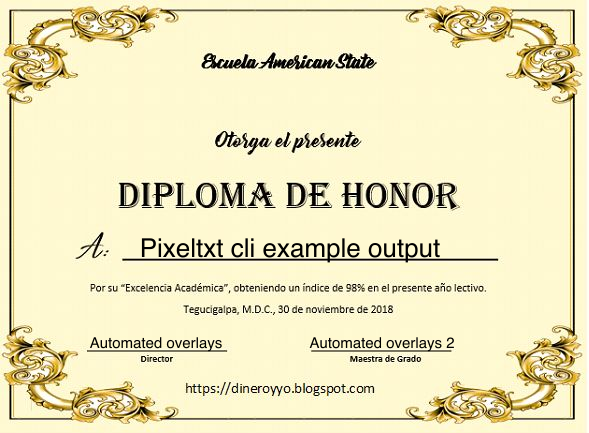 Output Image
Three steps to image magic
No complex setup. Just create a config file and run the command.
Create config
Place a pixeltxt.yaml next to your image with text positions, fonts, and colors.
Add layers
Define text overlays with precise positioning using x, y coordinates and anchor points.
Run command
Execute pixeltxt run and get your processed image instantly.
Built for developers
Designed to fit seamlessly into your existing workflow.
Config-first
Plain YAML or JSON validated with Zod. Easy to diff, version control, and automate in CI/CD pipelines.
Blazing fast
Sharp's optimized image processing pipeline handles SVG text rasterization and compositing efficiently.
Programmatic API
Import processImage, loaders, and schema directly from the package for custom workflows.
Flexible positioning
Precise control over text placement with x/y coordinates, anchor points, and rotation support.
Custom fonts
Use any TTF, OTF, or WOFF font files. Load from local paths or URLs.
Type-safe
Built with TypeScript. Configuration validated with Zod schemas for runtime safety.
Simple yet powerful
A complete configuration example with all available options.
# Input and output paths
base: ./images/photo.jpg
output: ./output/result.png

# Text layers with positioning
layers:
  - type: text
    text: Summer Vibes
    fontPath: ./fonts/Bold.ttf
    fontSize: 64
    color: #ffffff
    x: 100
    y: 80
    anchor: start
  - type: text
    text: August 2024
    fontPath: ./fonts/Regular.ttf
    fontSize: 32
    color: #e2e8f0
    x: 100
    y: 140
Ready to get started?
Install Pixeltxt and start creating beautiful image compositions in minutes.